 Pikmova
Image to video AI with no restrictions: what is really possible (2026)
Updated November 4, 2026 · by the Pikmova team
No legitimate image-to-video AI has zero restrictions, but many of the restrictions people mean can be avoided. Pikmova has no sign-up, no email, no card and no watermark: 2 free 5-second videos a day. What it does restrict is content. Every tool that pays for real video models has to do the same: no sexual content or nudity, nothing involving minors, and no deepfakes of real people made without their consent.
Make a free video, no sign-upSee HD plans
Which “restrictions” Pikmova does not have
| Account or login | None, for free or paid videos |
| Watermark | None, on free or paid videos |
| Credit card for the free tier | Not needed |
| Photo subjects | People, pets, old family photos, products, landscapes, illustrations and anime art all work |
| Motion | Describe any motion in one sentence (a smile, a turn of the head, wind, snow, a camera move), or leave it empty |
Which restrictions it does have, and why
| Daily limit | 2 free videos a day (5 seconds, 480p). Each video costs us real model fees, so “unlimited free” is not sustainable; failed attempts don’t count. HD from $4.99 for 8. |
| Content | No nudity or sexual content, nothing involving minors, no violence or gore, no hate, nothing illegal. See the Acceptable Use Policy. |
| Real people | Only photos of yourself or of people who agreed. There are no face-swap, “undress” or “make two people kiss” features. |
| Checks | Every prompt and photo is screened before a video is made, and a frame of every result is checked again. A refused attempt costs you nothing. |
Sites that advertise “unrestricted” or “uncensored” video usually mean adult content. Pikmova is not that kind of site. If what you want is a tool without sign-up walls, watermarks or a paywall on the first try, it is a good fit.
How to make one
- Open pikmova.com — no account, no card.
- Upload one photo (JPG, PNG or WebP). Your photo is deleted after 3 days and never used for training.
- Optionally describe the motion in one sentence, or tap one of the motion ideas.
- Press Generate. A 5-second MP4 is ready in about 20–90 seconds; download it.
Example
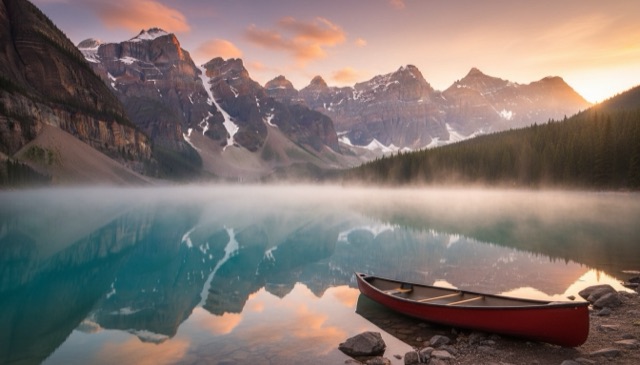 Photo
FAQ
Is there an image to video AI with no restrictions at all?
Not among tools that run real video models: their providers and payment processors require content rules. You can avoid sign-up, watermarks and paywalls, though. Pikmova gives 2 free videos a day with none of them.
Can I animate a photo of a person?
Yes, a photo of yourself or of someone who agreed. Deepfakes of real people without consent are not allowed, including public figures.
Does Pikmova allow NSFW videos?
No. Nudity and sexual content are refused before any video is made.
Why was my prompt refused?
The safety check flagged a word or the photo. Rephrase the motion description without sensitive words; a refused attempt does not use up a free video.
Is it really free?
Yes: 2 videos a day, 5 seconds, 480p, no watermark, no account, no card.
Example source photos on this page were themselves made with an AI image model, so no real person appears; the videos are unedited Pikmova results.