 Pikmova
How to make a photo move (2026)
Updated November 4, 2026 · by the Pikmova team
The quickest way to make a photo move is an AI image-to-video tool: upload the photo, write one sentence about the motion, and download a short video. On Pikmova this is free for 2 videos a day, with no sign-up and no watermark. (Simple zoom-and-pan “Ken Burns” effects in video editors move the camera only; AI makes the people, animals and scenery themselves move.)
Make a photo move nowSee HD plans
Step by step
- Open pikmova.com — no account, no card.
- Upload one photo (JPG, PNG or WebP). Your photo is deleted after 3 days and never used for training.
- Optionally describe the motion in one sentence, or tap one of the motion ideas.
- Press Generate. A 5-second MP4 is ready in about 20–90 seconds; download it.
A simple prompt formula
Subject action + camera + atmosphere. For example:
- Portrait: “She smiles and turns her head toward the camera · slow push-in · warm light flickers.”
- Pet: “The dog tilts its head and wags its tail · camera at eye level · grass moves in the breeze.”
- Landscape: “Clouds drift and the water ripples · slow drone push forward · morning mist.”
- Product: “The bottle slowly rotates · camera orbits slightly · soft light sweeps across it.”
Leave the box empty and Pikmova uses a gentle default: the subject breathes and moves slightly while the camera slowly pushes in.
Example
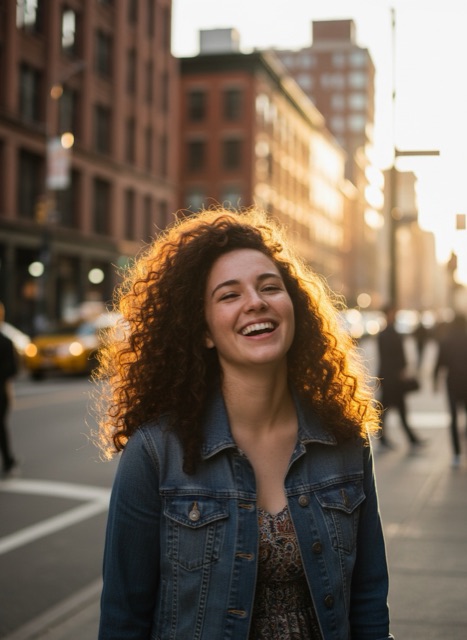 Photo
Common problems
- Faces change: ask for smaller motions, and use a sharp, front-facing photo.
- Nothing moves: name a concrete action (“waves”, “blinks”, “turns”) instead of “make it alive”.
- Hands and legs look odd: avoid big actions like running or dancing in 5 seconds.
- Refused: photos and prompts are checked for adult, violent or deceptive content; see the rules.
FAQ
How do I make a picture move for free?
Upload it to Pikmova, describe the motion and press Generate. 2 videos a day are free, with no sign-up and no watermark.
Can I make a photo move on my phone?
Yes. Pikmova works in the phone’s browser; no app is needed.
How long does it take?
Usually 20–90 seconds per video.
Can I make the person in the photo talk?
No. Pikmova makes motion videos; it does not add speech or lip-sync.
Example source photos on this page were themselves made with an AI image model, so no real person appears; the videos are unedited Pikmova results.