 Pikmova
Animate old family photos with AI, free (2026)
Updated November 4, 2026 · by the Pikmova team
The easiest way is to upload the scanned photo to an AI image-to-video tool and ask for small, natural movement — a smile, a blink, a slight head turn. On Pikmova that takes one upload and about a minute: 2 free videos a day at 480p, no sign-up, no watermark. For sharper results, HD videos made with Grok Imagine Video by xAI start at $4.99 for 8.
Animate a photo freeSee HD plans
How to do it
- Scan or photograph the print in good, even light; crop off the album page and any glare.
- Upload one photo (JPG, PNG or WebP). Your photo is deleted after 3 days and never used for training.
- Optionally describe the motion in one sentence, or tap one of the motion ideas.
- Press Generate. A 5-second MP4 is ready in about 20–90 seconds; download it.
Example
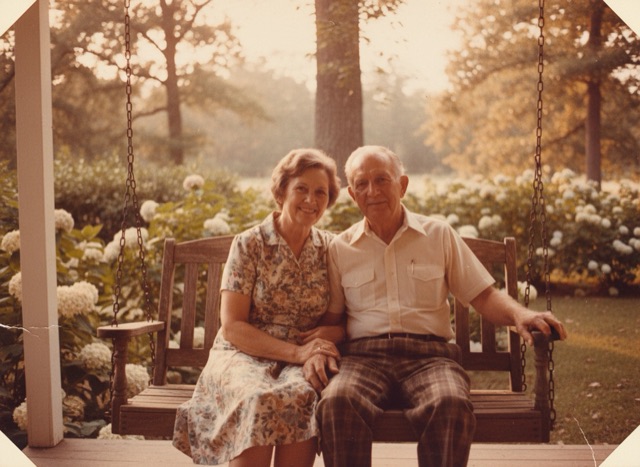 Photo
Tips for old photos
- Ask for less. “Smiles softly and blinks” keeps faces faithful; dramatic motion (dancing, walking) is where AI drifts from the real person.
- Keep the era. Adding “subtle film grain” or “black-and-white film” keeps the result looking like the original photo.
- One face is easiest. Group photos work, but each extra face is another chance for an unnatural expression. Crop to the person who matters most.
- Damaged prints: heavy scratches or missing corners can be animated as part of the image; repair them first if you want a clean result.
- Be kind with the result. These are AI recreations, not real footage. Say so when you share them, especially of people who have passed away.
FAQ
Is it free to animate an old photo?
Yes. Pikmova gives 2 free videos every day at 480p, with no sign-up and no watermark. HD videos cost from $4.99 for 8.
Does it work with black-and-white photos?
Yes. The video keeps the photo’s colours; add “black-and-white film look” to your motion description to keep it monochrome.
Can I make the person talk?
No. Pikmova makes silent 5-second motion videos (10 seconds on the Max plan); it does not add speech or lip-sync.
Is this the same as MyHeritage Deep Nostalgia?
It is a similar idea. Deep Nostalgia is built into MyHeritage’s genealogy service and needs an account; Pikmova is a general photo-to-video tool that needs no account.
Who sees my family photos?
Only you. Photos are used only to make your video, deleted after 3 days, and never used for training. There is no public gallery.
Example source photos on this page were themselves made with an AI image model, so no real person appears; the videos are unedited Pikmova results.