 Pikmova
Grok Imagine video from a photo, no X account (2026)
Updated November 4, 2026 · by the Pikmova team
Pikmova makes its HD videos with Grok Imagine Video by xAI: upload a photo, describe the motion, and get a 720p clip with AI-generated sound in about a minute — no account and no X login. HD videos cost from $4.99 for 8 (one-time) or $9.99 a month for 20; the Max plan adds 1080p and 10-second clips. Pikmova is an independent site, not affiliated with or endorsed by xAI.
Make a free 480p video firstSee HD plans
Good to know: xAI offers Grok Imagine directly in its Grok app and at grok.com/imagine, with its own free allowance and subscriptions (they change often — check there). If you already use Grok, that is the direct route. Pikmova calls the same model through xAI’s API (via the fal.ai platform) for people who want no account, private results and pay-per-video pricing. Our free videos use a different model (Boreal by Creatify) at 480p.
How it works on Pikmova
- Get HD clips: 8 for $4.99 once, or a monthly plan on the pricing page. No account — your clips are saved in this browser and can be restored with your payment email.
- Upload one photo and, optionally, describe the motion in one sentence.
- “HD with Grok” is switched on automatically while you have clips. On Max, choose 10 seconds or 1080p.
- Download the MP4 (with sound) in about 20–90 seconds. A video that fails gives its clips back.
Examples made with Grok Imagine Video
 Photo
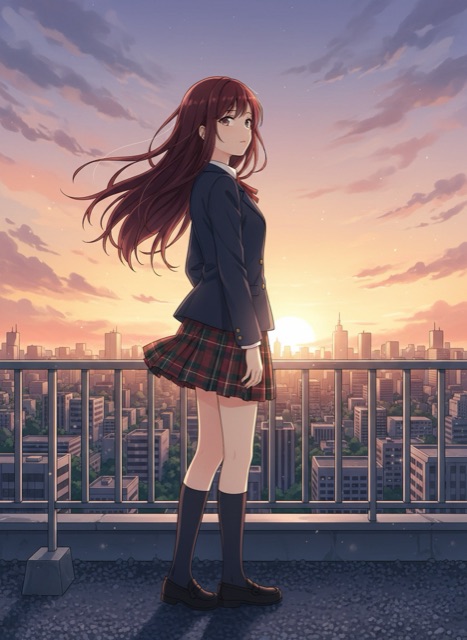 Photo
The example videos on this site are shown muted; the downloaded HD files include Grok’s generated sound (ambient sound, usually quiet).
What you get
| Model | Grok Imagine Video 1.5 Lite by xAI (backup if it fails: MiniMax H3 at 768P) |
| Input | One photo (JPG, PNG, WebP) plus an optional motion description; no text-only videos |
| Output | MP4 with sound, no watermark; 5 s at 720p (1 clip); Max: 10 s (2 clips), 1080p (5 clips per 5 s) |
| Price | 8 clips $4.99 once · Starter $9.99/mo (20) · Pro $19.99/mo (50) · Max $39.99/mo (120) · yearly saves 30% |
| Account | None; restore purchases with payment email and order number |
| Privacy | Videos are private to you; photos deleted after 3 days, paid videos after 30 days; never used for training |
| Content rules | No adult (“spicy”) mode; every prompt is screened before generation (rules) |
Prompt tips for Grok Imagine
- Describe the subject’s action first, then the camera, then the atmosphere: “She laughs and turns to the camera · slow push-in · warm sunlight flickers”.
- Two or three actions fit in 5 seconds; for more, use 10 seconds on Max.
- Sounds follow the scene (steam, wind, a café), so mentioning the setting helps the audio too.
FAQ
Is Grok Imagine free?
xAI’s own Grok app has had a free allowance for Grok Imagine; its limits change, so check grok.com. On Pikmova, Grok videos are paid (from $4.99 for 8); our free daily videos use Boreal by Creatify at 480p.
Do I need an X or Grok account?
No. Pikmova needs no account of any kind, before or after paying.
Is Pikmova the official Grok Imagine site?
No. Pikmova is an independent tool that uses Grok Imagine Video through xAI’s API. We are not affiliated with or endorsed by xAI. Grok is a trademark of its owner.
Do the videos have sound?
Yes. HD videos keep the sound Grok Imagine generates for the scene. Free videos have no sound.
Are my videos public?
No. Only you can open your videos; there is no public feed or gallery.
Is there a spicy mode?
No. Adult content is not allowed on Pikmova, and prompts are screened before any video is made.
Example source photos on this page were themselves made with an AI image model, so no real person appears; the videos are unedited Pikmova results.