 Pikmova
Turn a photo of your dog or cat into a video with AI, free (2026)
Updated November 4, 2026 · by the Pikmova team
Upload a clear photo of your dog or cat to Pikmova and describe one or two movements — “tilts its head and wags its tail” works well. You get a 5-second MP4 in about a minute: 2 free videos a day at 480p with no sign-up and no watermark, or HD videos made with Grok Imagine Video by xAI from $4.99 for 8.
Animate my pet freeSee HD plans
How to do it
- Pick a sharp photo where your pet’s face and body are fully in frame.
- Upload one photo (JPG, PNG or WebP). Your photo is deleted after 3 days and never used for training.
- Optionally describe the motion in one sentence, or tap one of the motion ideas.
- Press Generate. A 5-second MP4 is ready in about 20–90 seconds; download it.
Free and HD, same photo
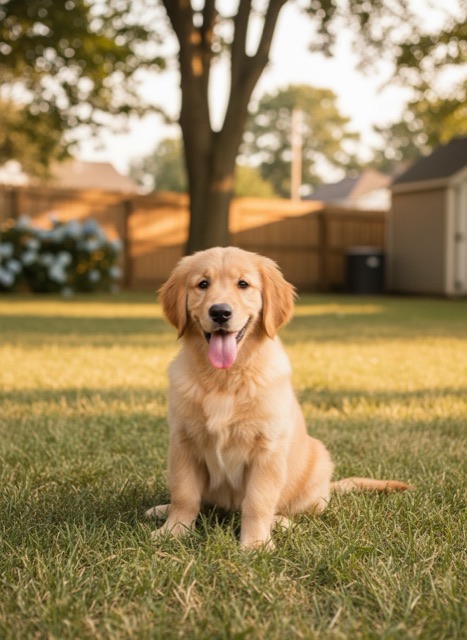 PhotoPhoto
Motions that work well for pets
- Dogs: “tilts its head, wags its tail”, “pants happily at the camera”, “ears flop in the breeze”.
- Cats: “blinks slowly and looks around”, “stretches and yawns”, “tail swishes”.
- Keep it to one or two actions: walking or jumping across the frame is where legs and paws go wrong.
- Eye level, plain background and soft light give the most realistic fur and eyes.
FAQ
Is there a free AI tool to animate my dog or cat?
Yes. Pikmova gives 2 free videos a day (480p, 5 seconds), with no sign-up and no watermark.
How realistic is it?
Small motions (head tilts, blinks, tail wags) look natural most of the time. Big actions like running are less reliable. HD videos use Grok Imagine Video, which gives sharper fur and steadier motion.
Can I post it on TikTok or Instagram?
Yes. You get a standard MP4 with no watermark. The file is labelled as AI-generated in its data.
Can I make a 10-second video?
Yes, on the Max plan (a 10-second video uses 2 clips). Free and other plans make 5-second videos.
Example source photos on this page were themselves made with an AI image model, so no real person appears; the videos are unedited Pikmova results.