 Pikmova
AI Christmas videos from your photos (2026)
Updated November 4, 2026 · by the Pikmova team
Upload a Christmas photo — your pet by the tree, a snowy house, a holiday card — and describe the motion: twinkling lights, falling snow, a wagging tail. Pikmova turns it into a 5-second video you can send as a moving holiday card: free at 480p with no sign-up and no watermark, or HD with sound from $4.99 for 8.
Make a Christmas video freeSee HD plans
Examples
 PhotoPhoto
 Photo
Christmas motion ideas
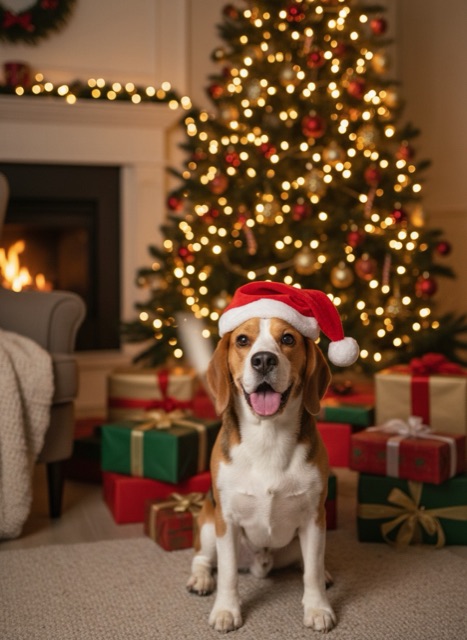
- Pets: “wags its tail, the Santa hat bobs, the tree lights twinkle”.
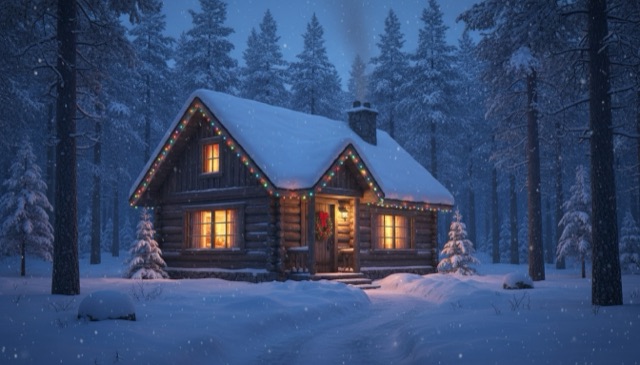
- Houses and streets: “snow falls gently, the lights twinkle, smoke rises from the chimney”.
- Cards and illustrations: “snowflakes drift down, the stars sparkle, the scene slowly zooms in”.
- Family portraits: “everyone smiles and the snow starts to fall” — keep motions small for faithful faces.
- Santa: see our Santa caught on camera guide.
How to send it
Download the MP4 and send it in iMessage, WhatsApp or email, or post it as a Reel or Story — the video keeps your photo’s shape, so use a portrait photo for Stories. There is no watermark.
FAQ
Can I make a Christmas video from a photo for free?
Yes: 2 free videos a day at 480p, no sign-up and no watermark.
Can I add music?
Pikmova does not add music. HD videos come with AI-generated ambient sound; add a song in any video editor.
Can I make a video longer than 5 seconds?
Yes, 10 seconds on the Max plan.
Can I use a photo of my family?
Yes, if everyone in it is fine with that. Ask for small motions such as smiles and falling snow for the most natural faces.
Example source photos on this page were themselves made with an AI image model, so no real person appears; the videos are unedited Pikmova results.